Multiplayer Accessibility: Online Gaming Accessibility Features
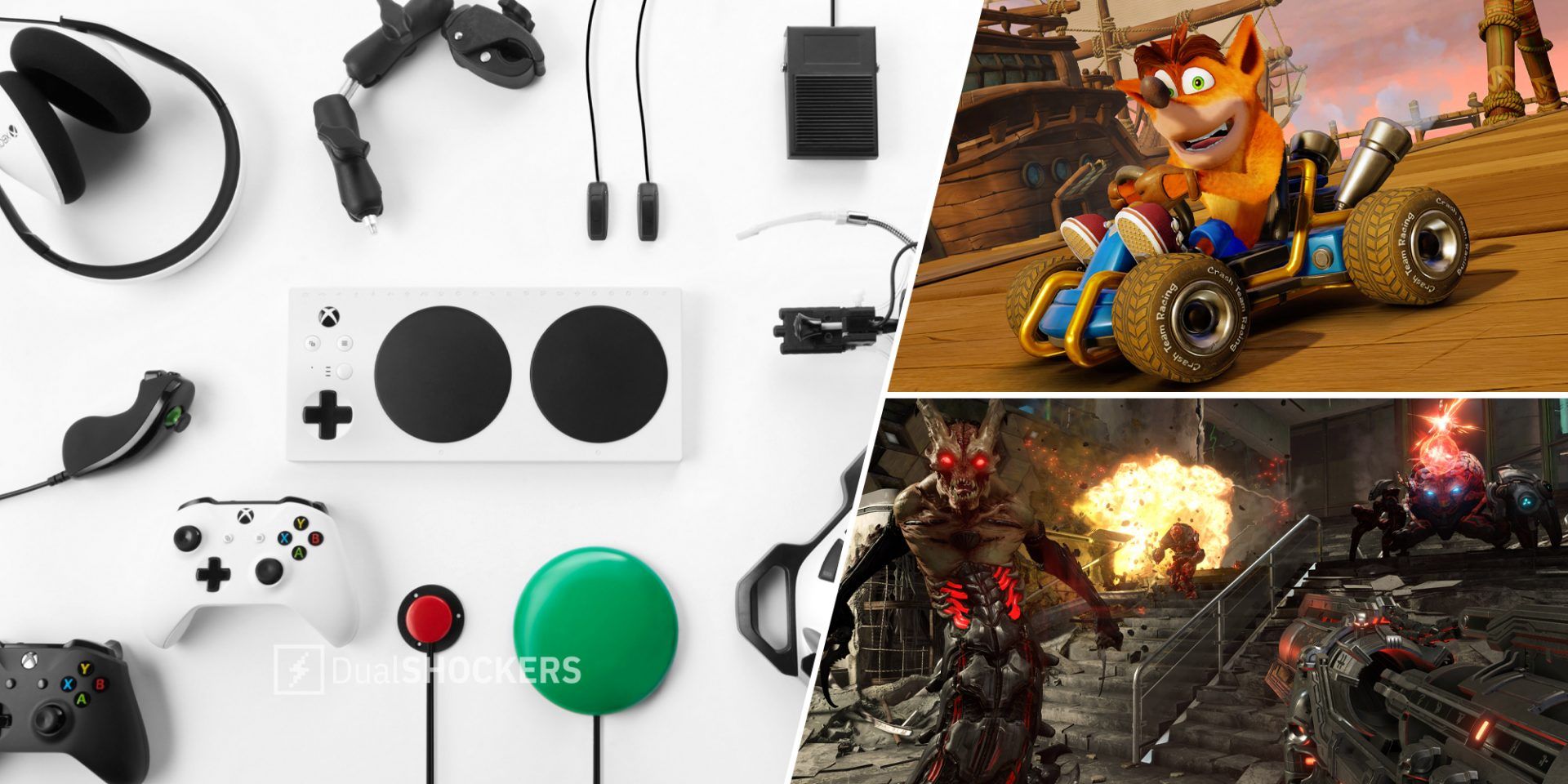
Imagine a world where everyone can join the game, regardless of their abilities. A world where online gaming isn't just for some, but for all. That's the vision we're striving for, and it starts with accessible design.
For many, online gaming presents hurdles that go beyond skill level. Consider navigating complex interfaces with limited mobility, or deciphering audio cues with auditory processing differences. These barriers, often unseen, can transform what should be a fun, social experience into one of frustration and exclusion.
This blog post aims to shed light on the crucial topic of multiplayer accessibility in online gaming. We'll explore the features and design choices that make online worlds inclusive, ensuring that everyone has the opportunity to play, connect, and enjoy the shared experience of gaming.
Ultimately, enhancing multiplayer accessibility is about removing barriers. It's about providing customizable control schemes, clear and concise communication options, visual aids, and adaptable game mechanics. By embracing these features, developers can create online environments where more players can participate and thrive. This includes features such as customizable controls, text-to-speech and speech-to-text options, adjustable font sizes and colors, and clear audio cues. The goal is simple: to make gaming accessible and enjoyable for everyone, regardless of their individual needs.
Understanding Cognitive Accessibility in Multiplayer Games
Cognitive accessibility focuses on making games easier to understand and play for individuals with cognitive differences. I remember playing a strategy game with my nephew, who has ADHD. The overwhelming amount of information on the screen, coupled with the fast-paced gameplay, quickly became frustrating for him. We had to significantly slow down the game speed and simplify the interface for him to even begin to enjoy it. This experience highlighted the importance of features like customizable UI elements, adjustable difficulty settings, and clear, concise instructions. These elements don't just benefit players with diagnosed cognitive conditions; they can also enhance the experience for new players, those learning a complex game, or anyone who prefers a more relaxed and less overwhelming experience. Cognitive accessibility ensures that the mental workload required to play a game is manageable for a wider range of players, promoting inclusivity and enjoyment.
The Importance of Visual Accessibility in Online Worlds
Visual accessibility addresses the needs of players with visual impairments or preferences. This goes far beyond simply increasing font sizes (though that's certainly important!). Consider colorblindness, a common condition that can make it difficult to distinguish between certain colors crucial for gameplay. Features like colorblind modes, which remap colors to be more distinguishable, can make a huge difference. Similarly, customizable UI elements, adjustable brightness and contrast, and clear visual cues (like distinctive icons or audio prompts paired with visual events) can improve the experience for players with low vision or other visual sensitivities. The ultimate goal is to ensure that all players can clearly understand the game's information and navigate its world, regardless of their visual abilities. By focusing on visual clarity and customization, developers can create online environments that are welcoming and accessible to a wider audience.
The Evolution of Audio Accessibility in Gaming
The history of audio accessibility in gaming is a fascinating journey from simple beeps and boops to sophisticated spatial audio cues designed to convey critical information. In the early days, audio was often an afterthought, primarily used for basic sound effects and music. However, as games became more complex, the importance of audio for gameplay became increasingly apparent. Features like subtitles, originally intended for hearing-impaired players, have become standard in many games and are appreciated by a much broader audience. Today, we're seeing more advanced audio accessibility options, such as directional audio cues that help players locate enemies or objectives, and customizable audio mixing that allows players to prioritize important sounds. The myth that audio accessibility is only for deaf or hard-of-hearing players is being dispelled as more developers recognize the benefits of clear and informative audio for all players. By embracing innovative audio solutions, we can create more immersive and accessible gaming experiences for everyone.
Unveiling the Secrets of Motor Accessibility in Games
Motor accessibility focuses on providing control options that accommodate players with limited mobility or motor impairments. The "secret" to good motor accessibility is often flexibility and customization. This might involve remappable controls, allowing players to assign actions to different buttons or keys based on their individual needs. It could also include adjustable sensitivity settings, making it easier to aim and move with precision. Beyond simple button remapping, advanced options like switch control compatibility (allowing players to use external switches to perform actions) and eye-tracking integration are becoming increasingly important. Many gamers who suffer from motor disabilities now are able to keep playing because of these features. The key is to provide a range of options that allow players to tailor the controls to their specific abilities, enabling them to participate fully in the game world.
Recommendations for Implementing Inclusive Gaming Features
When it comes to implementing inclusive gaming features, my primary recommendation is to involve disabled gamers in the development process from the outset. Their lived experiences and insights are invaluable for identifying potential barriers and designing effective solutions. Secondly, don't treat accessibility as an afterthought. Integrate it into the core design of the game from the beginning. This will ensure that accessibility features are seamlessly integrated and don't feel like tacked-on additions. I also recommend creating clear and comprehensive accessibility documentation, so players can easily understand and utilize the available options. It's very helpful to new gamers. Encourage developers to learn from other games that have successfully implemented accessibility features, and don't be afraid to experiment with new approaches. Finally, remember that accessibility is an ongoing process, not a one-time fix. Gather feedback from players and continue to iterate and improve your accessibility features over time.
The Benefits of Cross-Platform Accessibility
Cross-platform accessibility takes the concept of inclusive design a step further by ensuring that games are accessible to players across different devices and platforms. This means that a game should be playable on consoles, PCs, mobile devices, and potentially even assistive technology devices, with consistent accessibility features across all platforms. This opens up gaming to a much wider audience, allowing players to choose the platform that best suits their needs and preferences. For example, a player with limited mobility might prefer to play on a mobile device with touch controls, while another player might prefer to use a customized controller on a PC. By providing cross-platform accessibility, developers can create a more unified and inclusive gaming ecosystem, where players can connect and compete regardless of their chosen device.
Practical Tips for Improving Your Game's Accessibility
Improving the accessibility of your game doesn't have to be an overwhelming task. Start with small, manageable changes that can have a big impact. One simple tip is to provide detailed control mapping options, allowing players to customize their controls to their individual needs. Another is to use clear and concise language in your game's instructions and tutorials, avoiding jargon or overly complex explanations. Consider offering multiple difficulty settings, catering to players of different skill levels and cognitive abilities. It's also crucial to test your game with a diverse group of players, including those with disabilities, to identify potential accessibility barriers. Finally, be responsive to player feedback and be willing to make adjustments to your game based on their suggestions. Remember, every small improvement can make a difference in making your game more accessible and enjoyable for everyone.
Accessibility Beyond Gameplay: Menus and Interfaces
Accessibility extends beyond the core gameplay experience to encompass all aspects of the game, including menus, interfaces, and other non-gameplay elements. Navigating complex menus can be a significant barrier for players with visual impairments, motor impairments, or cognitive differences. Ensure that your menus are easy to navigate using a variety of input methods, such as keyboard, mouse, and controller. Use clear and descriptive labels for all menu items, and provide alternative text for images or icons. Consider offering customizable menu layouts, allowing players to prioritize the information that is most important to them. Finally, make sure that all text in your game is legible and scalable, allowing players to adjust the font size and color to their preferences. By paying attention to accessibility in all areas of your game, you can create a more welcoming and inclusive experience for all players.
Fun Facts About Accessibility in the Gaming World
Did you know that the Xbox Adaptive Controller was developed in collaboration with disabled gamers? Or that many games now offer fully customizable subtitle options, allowing players to adjust the font size, color, and background opacity to their preferences? Another fun fact is that the popular game "The Last of Us Part II" includes over 60 accessibility features, making it one of the most accessible games ever made. These examples demonstrate the growing awareness and commitment to accessibility in the gaming industry. As technology continues to evolve, we can expect to see even more innovative and inclusive gaming features in the future. So gamers and developers, let's come together and continue push the boundaries of what's possible, creating gaming experiences that are truly accessible to all.
How to Advocate for More Accessible Games
Advocating for more accessible games is easier than you might think! Start by supporting game developers who prioritize accessibility in their designs. Purchase their games, leave positive reviews, and share their work on social media. You can also contact game developers directly, expressing your support for accessibility and suggesting specific features you would like to see implemented. Participate in online discussions and forums, raising awareness about the importance of accessibility in gaming. If you have a disability, share your experiences and insights with developers and other gamers. Together, we can create a stronger demand for accessible games, encouraging more developers to prioritize inclusivity in their designs.
What If All Games Were Designed With Accessibility in Mind?
Imagine a world where every game is designed from the ground up with accessibility in mind. This wouldn't just benefit players with disabilities; it would enhance the gaming experience for everyone. New players would find games easier to learn and understand, veterans would be able to continue enjoying their favorite games as they age, and everyone would benefit from the increased flexibility and customization options. By prioritizing accessibility, we can create a more inclusive and welcoming gaming community, where everyone has the opportunity to participate and enjoy the shared experience of gaming. The future of gaming is inclusive, and it's up to us to make that vision a reality.
A List of Essential Accessibility Features in Multiplayer Games
Let's create a listicle of essential accessibility features that can transform multiplayer gaming experiences:
- Customizable Control Schemes: Remappable controls, adjustable sensitivity, and support for alternative input devices.
- Clear Communication Options: Text-to-speech and speech-to-text functionality, customizable chat windows, and non-verbal communication tools.
- Visual Aids: Adjustable font sizes and colors, colorblind modes, customizable UI elements, and screen magnification.
- Audio Cues: Subtitles, directional audio, customizable audio mixing, and visual representations of sound.
- Adjustable Difficulty Settings: Customizable enemy AI, simplified game mechanics, and optional tutorials.
- Cognitive Support: Clear instructions, simplified UI elements, and adjustable game speed.
- Cross-Platform Accessibility: Consistent accessibility features across all devices and platforms.
By implementing these features, developers can create multiplayer games that are truly accessible and enjoyable for everyone.
Question and Answer Section for Multiplayer Accessibility
Q: Why is accessibility important in multiplayer games?
A: Accessibility ensures that players with disabilities can participate fully and enjoy the social and competitive aspects of multiplayer gaming. It promotes inclusivity and creates a more welcoming gaming community for everyone.
Q: What are some common accessibility barriers in multiplayer games?
A: Common barriers include complex control schemes, unclear communication options, visual clutter, and overwhelming audio cues. These barriers can make it difficult for players with disabilities to navigate the game, communicate with others, and participate effectively.
Q: How can developers improve the accessibility of their multiplayer games?
A: Developers can improve accessibility by implementing customizable control schemes, clear communication options, visual aids, adjustable difficulty settings, and cognitive support features. They should also involve disabled gamers in the development process to gather feedback and identify potential barriers.
Q: What are the benefits of cross-platform accessibility in multiplayer games?
A: Cross-platform accessibility allows players to choose the platform that best suits their needs and preferences, enabling them to connect and compete with others regardless of their chosen device. It promotes a more unified and inclusive gaming ecosystem.
Conclusion of Multiplayer Accessibility: Online Gaming Accessibility Features
In conclusion, prioritizing multiplayer accessibility isn't just a matter of ticking boxes; it's about building a more inclusive and vibrant gaming community. By implementing the features and strategies discussed, we can unlock the full potential of online gaming for everyone, regardless of their abilities. Let's work together to create online worlds where everyone can play, connect, and thrive.
Post a Comment