PlayStation Accessibility: PS5 Gaming Accessibility Features
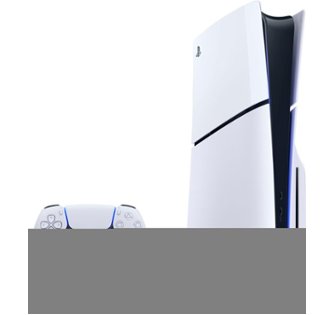
Imagine diving into your favorite PS5 game, completely immersed in the world, without anything holding you back. That's the promise of accessibility – making gaming experiences available and enjoyable for everyone, regardless of their individual needs.
For many gamers, certain aspects of gameplay can present challenges. Perhaps the text is too small to read comfortably, or the controls feel too complex. Maybe quick-time events are difficult to execute, or the color scheme makes it hard to distinguish important elements on the screen. These hurdles can diminish the fun and create frustration, preventing players from fully engaging with the games they love.
This blog post is all about exploring the fantastic accessibility features built into the Play Station 5. We'll break down the various options available, showing you how to customize your gaming experience to suit your specific needs and preferences. Our goal is to empower you to get the most out of your PS5, ensuring that gaming is inclusive and accessible for all.
From customizable controls and screen reader support to visual aids and communication features, the PS5 offers a wealth of options to personalize your gameplay. We'll delve into specific features, providing practical tips and insights on how to use them effectively. By understanding and utilizing these tools, you can unlock a whole new level of gaming enjoyment. Let's explore the world of PS5 accessibility and discover how it can transform your gaming experience!
Controller Customization
I remember when I first got my PS5, I was so excited to jump into a new adventure game. However, I quickly realized that the default button mapping wasn't working for me. I have a bit of difficulty with fine motor movements, and some of the quick button presses were causing me real problems. I nearly gave up playing after only an hour. Luckily, I stumbled upon the controller customization options, and it was a game-changer, literally. I was able to reassign buttons to locations that were more comfortable and intuitive for me, making the entire experience much more enjoyable and accessible.
The PS5's controller customization options allow you to remap the buttons on your Dual Sense controller to suit your individual needs. This is incredibly useful for players with limited mobility or those who simply prefer a different control scheme. You can swap the functions of buttons, adjust the sensitivity of the analog sticks, and even create custom profiles for different games. Experimenting with these settings can significantly improve your control and precision, leading to a more satisfying gaming experience. For instance, if you struggle with the default L1/R1 and L2/R2 button placement, you could swap them around to find a more comfortable configuration. Don't be afraid to try different setups until you find what works best for you. The aim is to personalize the controller to fityourneeds, not the other way around.
Visual Aids
Visual aids on the PS5 are all about enhancing the visibility and clarity of on-screen elements, making games more accessible to players with visual impairments. This includes features like text-to-speech, screen magnification, and color correction. It's not just for those with diagnosed visual impairments, however. Even those with good vision can benefit from tweaking these settings to reduce eye strain or improve visibility in certain lighting conditions.
These visual aids aren't just some afterthought; they're powerful tools designed to adapt your gaming experience to your specific needs. The screen reader, for example, can narrate on-screen text, menus, and other important information, allowing visually impaired players to navigate the PS5 interface and game menus independently. Screen magnification allows you to zoom in on specific areas of the screen, making it easier to see small details or read text. Color correction options can help players with color blindness distinguish between different colors, improving the overall visual clarity of the game. Experimenting with these features can dramatically improve your ability to see and understand what's happening on the screen, opening up a world of gaming possibilities.
Audio Customization
There's a common misconception that audio customization is only important for people who are hard of hearing. That's simply not true. Audio plays a huge role in immersion, and tailoring it to your preferences can dramatically enhance the gaming experience for everyone. Imagine a game where you can't clearly hear the enemy footsteps, putting you at a significant disadvantage. Or a game with overly loud explosions that are genuinely painful to your ears. Audio customization features on the PS5 let you fine-tune the soundscape to create a more balanced and enjoyable listening experience.
The PS5 offers a range of audio customization options, including the ability to adjust volume levels for different audio channels, enable mono audio, and use 3D audio to enhance spatial awareness. These features can be incredibly useful for players with hearing impairments, allowing them to adjust the audio balance to compensate for hearing loss in one ear or to amplify specific sounds. Even for players with normal hearing, audio customization can improve clarity, reduce distractions, and create a more immersive and engaging soundscape. Experiment with the different settings to find the perfect audio balance for your individual needs and preferences. You might be surprised at how much of a difference it makes.
Communication Features
Gaming is often a social experience, and the PS5 offers a variety of communication features to help players connect and collaborate with each other. From voice chat and text chat to party systems and online multiplayer, there are plenty of ways to interact with other players. However, these features can sometimes present challenges for players with disabilities. For example, voice chat might be difficult for players with speech impairments, while text chat can be inaccessible for players with visual impairments.
The PS5 includes several accessibility features designed to make communication more inclusive and accessible. Speech-to-text conversion allows players to convert spoken words into text, making it easier for players with speech impairments to participate in voice chat. Text-to-speech conversion allows players to have text messages read aloud, making them accessible to players with visual impairments. The PS5 also supports the use of external microphones and headsets, allowing players to use assistive devices to communicate more effectively. These features can help to break down communication barriers and create a more inclusive and welcoming gaming environment for everyone.
Difficulty Settings
Difficulty settings have been around for a while, but the industry is now starting to understand that providing a spectrum of options isn't enough. Some games lock critical plot points, essential gameplay mechanics or even character upgrades behind a "skill wall". Players who struggle with complex button inputs or fast reaction times might miss out on key aspects of the game simply because the default difficulty is too high.
The PS5 offers granular difficulty settings that can significantly alter the gameplay experience. These aren't just about making enemies weaker or giving you more health. They can also affect things like the frequency of enemy encounters, the complexity of puzzles, and the time available to complete challenges. For players who struggle with fast-paced action or complex button combinations, lowering the difficulty can make the game more manageable and enjoyable. Conversely, players who crave a challenge can crank up the difficulty to test their skills and push their limits. The key is to find a difficulty setting that matches your individual skill level and preferences, allowing you to fully immerse yourself in the game without feeling overwhelmed or frustrated.
Game Help
The PS5's Game Help feature is a lifesaver when you're stuck in a game. It provides context-sensitive tips, videos, and screenshots to guide you through challenging sections. This can be incredibly useful for players who are new to a particular game genre or who struggle with specific puzzles or combat encounters. Imagine getting completely stuck on a boss fight and feeling frustrated and discouraged. Instead of giving up, you can access Game Help and find a step-by-step guide on how to defeat the boss. This not only saves you time and frustration but also allows you to continue enjoying the game without feeling like you're banging your head against a wall.
Game Help isn't just for beginners, though. Even experienced gamers can benefit from it when they encounter particularly difficult or obscure challenges. It can also be a great way to learn new strategies and techniques that you might not have discovered on your own. The feature is integrated directly into the PS5 interface, making it easy to access whenever you need it. Simply press the Play Station button to bring up the control center and select the "Help" option. You'll then be presented with a variety of helpful resources to guide you through the current game. It's like having a personal gaming assistant right at your fingertips.
Tips for Optimizing Accessibility
One of the most important things you can do to optimize accessibility on your PS5 is to experiment with the various settings and features to find what works best for you. Don't be afraid to try different combinations of options until you find a setup that feels comfortable and intuitive. Start by exploring the accessibility settings menu in the PS5's system settings. This is where you'll find all of the options related to controller customization, visual aids, audio customization, and communication features. Take the time to read through each option carefully and try adjusting the settings to see how they affect your gaming experience. You can also find accessibility settings within individual games, allowing you to fine-tune the gameplay experience to suit your specific needs.
Another helpful tip is to seek out online resources and communities that focus on gaming accessibility. There are many websites, forums, and social media groups dedicated to sharing tips, tricks, and advice on how to make games more accessible. These resources can be a valuable source of information and support, especially if you're new to the world of gaming accessibility. You can also reach out to game developers and publishers to provide feedback on accessibility features and suggest improvements. Your voice can help to shape the future of gaming accessibility and ensure that games are more inclusive and welcoming for everyone.
Accessibility Presets
Accessibility presets are pre-configured settings that are designed to make games more accessible to players with specific disabilities. These presets typically include a combination of controller customization options, visual aids, audio customization settings, and communication features that are tailored to the needs of a particular disability. For example, there might be a preset for players with low vision that includes screen magnification, text-to-speech conversion, and high-contrast color schemes. Similarly, there might be a preset for players with limited mobility that includes button remapping, analog stick sensitivity adjustments, and simplified controls.
Accessibility presets can be a great starting point for players who are new to gaming accessibility. They provide a quick and easy way to configure the PS5 to suit their specific needs without having to spend hours experimenting with individual settings. However, it's important to remember that presets are just a starting point. You can always customize the settings further to fine-tune the experience to your individual preferences. Think of them as templates that you can adapt to create a personalized accessibility profile that works perfectly for you.
Fun Facts About PS5 Accessibility
Did you know that the PS5's Dual Sense controller can be used with accessibility accessories like adaptive switches and joysticks? This allows players with limited mobility to control the console using alternative input methods. The PS5 also supports the use of eye-tracking technology, which can be used to control the console and play games using only your eyes. This is a game-changer for players with severe physical limitations.
The PS5's accessibility features are constantly evolving, with new options and improvements being added regularly. Sony is committed to making gaming more inclusive and accessible for everyone, and they actively seek feedback from players with disabilities to inform their development efforts. This ongoing commitment to accessibility ensures that the PS5 remains a leader in inclusive gaming technology. For example, the "create" button lets players capture and share gameplay moments. Someone with a disability could record a gameplay video and easily send it to the developer with feedback.
How to Enable Accessibility Features
Enabling accessibility features on the PS5 is a straightforward process. Simply navigate to the "Settings" menu, then select Accessibility.From there, you'll find a variety of options related to controller customization, visual aids, audio customization, and communication features. Each option has a brief description explaining its function, and you can adjust the settings to your liking. Many games also have their own accessibility settings within the game menu, allowing you to fine-tune the gameplay experience to suit your specific needs.
It's a good idea to experiment with the various settings to find what works best for you. You can always revert to the default settings if you're not happy with the changes you've made. Don't be afraid to try different combinations of options until you find a setup that feels comfortable and intuitive. Remember, the goal is to create a gaming experience that is tailored to your individual needs and preferences, allowing you to fully enjoy the games you love. It can be extremely useful to create different profiles for different users or even games, so take advantage of this feature.
What If Accessibility Features Were Missing?
Imagine a world where the PS5 lacked all of its accessibility features. For many players with disabilities, this would mean being completely excluded from the world of gaming. They would be unable to control the console, see the screen, hear the audio, or communicate with other players. Gaming would become a frustrating and inaccessible experience, denying them the joy and connection that it provides to so many others.
The absence of accessibility features would not only impact players with disabilities but also the broader gaming community. It would create a less diverse and inclusive environment, limiting the perspectives and experiences that are represented in games. It would also prevent game developers from reaching a wider audience, missing out on the opportunity to connect with and serve a significant portion of the gaming population. Accessibility is not just about helping players with disabilities; it's about creating a more inclusive and welcoming gaming community for everyone. By removing barriers to entry, accessibility features ensure that everyone has the opportunity to participate and enjoy the benefits of gaming.
List of Must-Try Accessibility Features on PS5
1.Controller Customization: Remap buttons to create a control scheme that suits your needs.
2.Text-to-Speech: Have on-screen text read aloud for easier navigation.
3.Screen Magnification: Zoom in on specific areas of the screen for better visibility.
4.Color Correction: Adjust color settings to improve clarity for color blindness.
5.Mono Audio: Combine audio channels for players with hearing loss in one ear.
This list is just a starting point, but it represents some of the most impactful accessibility features available on the PS5. Experiment with these options and explore the other accessibility settings to discover what works best for you. The goal is to create a personalized gaming experience that is tailored to your individual needs and preferences, allowing you to fully enjoy the games you love. Remember, accessibility is not a one-size-fits-all solution. It's about finding the right combination of features that empowers you to play games your way.
Question and Answer
Q: Where do I find the accessibility settings on my PS5?
A: You can find them in the Settings menu under Accessibility.
Q: Can I customize the Dual Sense controller buttons?
A: Yes, you can remap buttons in the Accessibility settings under Controllers.
Q: Does the PS5 have a screen reader?
A: Yes, the PS5 has a screen reader that can read on-screen text aloud.
Q: Can I adjust the audio settings to make dialogue louder?
A: Yes, you can adjust the audio settings in the Sound menu to prioritize dialogue.
Conclusion of Play Station Accessibility: PS5 Gaming Accessibility Features
The PS5 is packed with accessibility features designed to make gaming more inclusive and enjoyable for everyone. From customizable controls and visual aids to audio enhancements and communication tools, there's a wealth of options available to personalize your gaming experience. By taking the time to explore these features and experiment with different settings, you can unlock a whole new level of gaming enjoyment, regardless of your individual needs and preferences. The future of gaming is inclusive, and the PS5 is leading the way.
Post a Comment