Switch Adapted Gaming: External Switch Solutions for Gaming
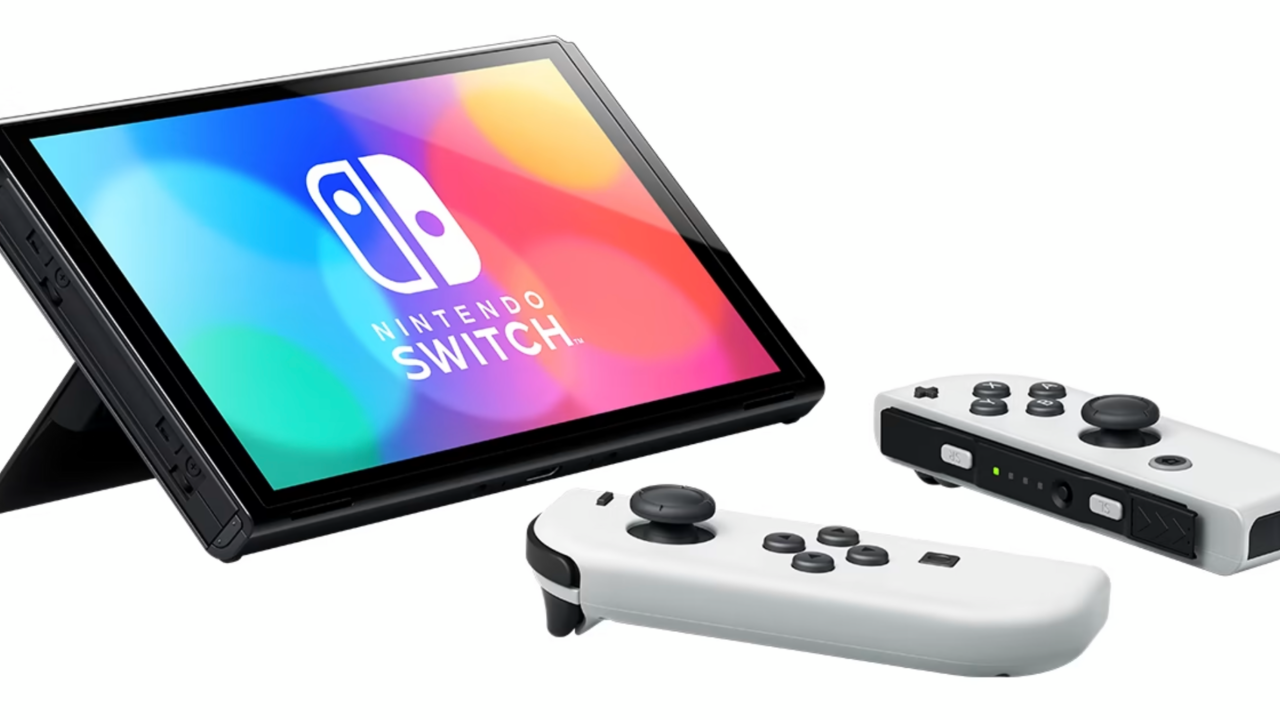
Imagine a world where everyone, regardless of their physical abilities, can dive into the vibrant and engaging world of video games. The Nintendo Switch, with its innovative design, offers a gateway to incredible gaming experiences. But what if the standard controls present a challenge? That's where the magic of switch-adapted gaming comes in, unlocking a world of possibilities for gamers with limited mobility.
For many, the standard Nintendo Switch controllers can be a barrier to entry. Holding the Joy-Cons, pressing multiple buttons simultaneously, or even navigating the menus can prove difficult or impossible. This leaves many individuals feeling excluded from a hobby they would otherwise love to participate in, limiting their access to social interaction, cognitive stimulation, and just plain fun.
This blog post explores the realm of switch-adapted gaming on the Nintendo Switch, focusing on external switch solutions. We'll delve into what these solutions are, how they work, and the positive impact they can have on individuals with disabilities, empowering them to enjoy the world of gaming on their own terms.
In this exploration, we'll uncover how external switches paired with adapter devices can transform the gaming experience on the Nintendo Switch. We'll examine the different types of switches available, how they connect to the console, and the benefits they offer in terms of accessibility and enjoyment. We'll discuss specific adapter devices and their functionalities, as well as provide insights and recommendations for creating personalized and effective switch-adapted gaming setups.
Understanding External Switch Solutions
External switch solutions provide an alternative input method for individuals who find it difficult or impossible to use the standard Nintendo Switch controllers. These solutions typically involve connecting one or more external switches to an adapter device, which then translates the switch presses into the corresponding button inputs on the console.
I remember when I first started looking into accessible gaming options for my cousin, who has limited hand dexterity. The sheer variety of switches and adapters was overwhelming at first. However, after some research and experimentation, we were able to find a combination that worked perfectly for him. Seeing the joy on his face as he played his favorite games independently was an incredibly rewarding experience, it really changed his life.
There are many different types of switches available, each designed to accommodate varying levels of motor skills. Some common types include button switches, joystick switches, and sip-and-puff switches. Button switches are the most basic type and require a simple press to activate. Joystick switches allow for directional control, mimicking the function of the analog sticks on a standard controller. Sip-and-puff switches are activated by inhaling or exhaling into a tube, offering a hands-free input option.
Adapter devices act as the bridge between the external switches and the Nintendo Switch console. These devices typically connect to the console via USB and allow users to map the switch inputs to specific buttons on the controller. Some adapters also offer advanced features such as adjustable sensitivity, multiple switch configurations, and programmable macros.
What is Switch Adapted Gaming?
Switch-adapted gaming is a field of assistive technology that modifies standard video game controllers or replaces them entirely with alternative input devices, typically switches. These switches can be buttons, levers, pads, or even sensors that respond to breath or eye movements. The goal is to enable individuals with limited mobility or other disabilities to play video games alongside their peers.
This approach opens up the gaming world to a much wider audience, allowing people with conditions like cerebral palsy, spinal muscular atrophy, or other motor impairments to participate in a popular and engaging form of entertainment. It's about leveling the playing field and providing everyone with the opportunity to experience the joy and benefits of gaming.
The beauty of switch-adapted gaming lies in its customizability. There's no one-size-fits-all solution. Each player's needs are unique, and the best setup is one that's tailored to their specific abilities and preferences. This often involves experimenting with different types of switches, adapter devices, and controller mappings to find the combination that works best.
Beyond just providing access to games, switch-adapted gaming can also have significant therapeutic benefits. It can improve motor skills, hand-eye coordination, and cognitive function. It can also promote social interaction and a sense of accomplishment. Furthermore, mastering a game with alternative controls can be incredibly empowering and boost self-esteem.
The History and Myths of Switch Adapted Gaming
The concept of adapted gaming isn't new; its roots trace back to the early days of video games. As technology advanced, so did the possibilities for creating alternative input methods. Early adaptations were often simple modifications to existing controllers, but as microcontrollers became more affordable and accessible, more sophisticated solutions emerged.
One common myth is that adapted gaming is only for people with severe disabilities. While it's true that it can be a lifeline for individuals with significant motor impairments, it can also benefit those with less pronounced challenges. For example, someone with carpal tunnel syndrome might find it more comfortable to use a switch-adapted controller than a standard one.
Another misconception is that adapted gaming is expensive and complicated. While some advanced setups can be costly, there are many affordable and easy-to-use options available. Simple button switches and basic adapter devices can provide a significant improvement in accessibility without breaking the bank. Plus, the open-source community has created numerous resources and DIY projects that make adapted gaming more accessible to everyone.
The rise of the internet and online gaming communities has played a crucial role in the growth of adapted gaming. These communities provide a platform for players with disabilities to connect, share tips and resources, and advocate for more inclusive gaming experiences. They've also helped to raise awareness among game developers and encourage them to incorporate accessibility features into their games.
The Hidden Secret of Switch Adapted Gaming
The hidden secret of switch-adapted gaming isn't about complex technology or expensive equipment. It's about the profound impact it has on the lives of individuals with disabilities. It's about providing them with the opportunity to experience the joy of gaming, to connect with others, and to challenge themselves in a meaningful way.
It's about seeing a child who struggles with fine motor skills master a challenging level in a video game using a single button switch. It's about witnessing an adult who has lost the use of their hands rediscover a passion for gaming through eye-tracking technology. It's about fostering a sense of independence and accomplishment that extends beyond the virtual world.
The true magic of switch-adapted gaming lies in its ability to unlock potential. It allows individuals with disabilities to demonstrate their skills, creativity, and determination in ways that they might not otherwise be able to. It challenges assumptions about what they can and cannot do.
This approach also has the power to change perspectives. When people see individuals with disabilities excelling at video games, it can break down stereotypes and promote a more inclusive and accepting society. It reminds us that everyone has something to offer, regardless of their physical abilities.
In addition to its direct benefits for players with disabilities, switch-adapted gaming can also have a positive impact on their families and caregivers. It can provide them with a shared activity to enjoy together, and it can reduce the burden of care by providing individuals with disabilities with a stimulating and engaging form of entertainment.
Recommendations for Switch Adapted Gaming
When venturing into the world of switch-adapted gaming, it's crucial to start by assessing the individual's specific needs and abilities. Consider their range of motion, hand dexterity, cognitive skills, and communication abilities. This will help you determine the most appropriate type of switch, adapter device, and controller mapping.
Experimentation is key. Don't be afraid to try different switches and adapter configurations until you find the combination that works best. There are many resources available online, including tutorials, forums, and support groups, that can provide guidance and inspiration.
Consider the games that the individual is interested in playing. Some games are inherently more accessible than others. Look for games that have simple controls, customizable button mappings, and adjustable difficulty levels.
Don't underestimate the importance of positioning and ergonomics. Ensure that the switch is placed in a comfortable and accessible location. Use assistive devices such as mounts and stands to optimize positioning and reduce strain.
Be patient and persistent. Learning to use switch-adapted controls takes time and practice. Encourage the individual to persevere, and celebrate their successes along the way. It’s important to create a supportive and encouraging environment, focusing on progress rather than perfection.
Finally, remember that switch-adapted gaming is an ongoing process. As the individual's skills and abilities evolve, you may need to adjust the setup accordingly. Stay informed about new technologies and resources, and continue to explore new possibilities.
Switch Selection and Placement
Choosing the right switch is paramount. Consider factors like size, activation force, and feedback. Larger switches are often easier for individuals with limited dexterity to activate. Switches with low activation force require less effort to press. Switches that provide tactile or auditory feedback can help users confirm that they have successfully activated the switch.
Placement is equally important. The switch should be positioned within easy reach, taking into account the individual's range of motion and preferred posture. Mounts and stands can be used to secure the switch in place and adjust its angle and height.
Consider the type of switch that best suits the individual's abilities. Button switches are a common choice, but joystick switches, sip-and-puff switches, and eye-tracking devices are also viable options.
Experiment with different switch placements to find the most comfortable and efficient configuration. Consider using multiple switches to control different functions. For example, one switch could be used for movement, while another is used for actions like jumping or attacking.
Think about the environmental factors as well. Is the lighting adequate? Is the room free of distractions? A well-lit and uncluttered environment can help the individual focus on the game and reduce frustration.
Tips for Success
Start with simple games that have clear objectives and straightforward controls. This will help the individual build confidence and develop their skills before moving on to more complex games.
Break down complex tasks into smaller, more manageable steps. For example, if a game requires the use of multiple buttons simultaneously, try mapping those buttons to separate switches.
Provide positive reinforcement and encouragement. Celebrate successes and offer support when the individual is struggling.
Be patient and understanding. Learning to use switch-adapted controls takes time and practice. Don't get discouraged if progress is slow.
Incorporate switch-adapted gaming into a regular routine. This will help the individual develop their skills and maintain their interest.
Connect with other switch-adapted gamers. Online forums and support groups can provide valuable resources, tips, and encouragement.
Remember that switch-adapted gaming is about more than just playing games. It's about promoting independence, building confidence, and fostering social connections.
Consider using adaptive gaming controllers, such as the Xbox Adaptive Controller, which can be customized with various switches and input devices. This controller can be connected to the Nintendo Switch using an adapter.
Explore online resources and tutorials. There are many websites and You Tube channels that offer helpful tips and demonstrations on switch-adapted gaming.
Don't be afraid to experiment and get creative. There's no one-size-fits-all solution. Find what works best for the individual and adapt the setup accordingly.
Troubleshooting Common Issues
One common issue is switch activation. If the switch is not activating consistently, check the connections and ensure that the switch is properly plugged into the adapter. Adjust the activation force if necessary.
Another issue is button mapping. If the buttons are not mapped correctly, consult the adapter's documentation and follow the instructions for remapping the buttons.
Sometimes, the game itself may be the problem. Some games are simply not compatible with switch-adapted controls. Research the game before purchasing it to ensure that it is accessible.
If the individual is experiencing fatigue or discomfort, take breaks and adjust the positioning of the switch.
Ensure that the adapter is compatible with the Nintendo Switch and that it is properly configured. Some adapters require specific firmware updates or settings adjustments.
If you're using multiple switches, ensure that they are not interfering with each other. Use a switch matrix or other device to prevent accidental activations.
Consider using a switch tester to diagnose any problems with the switches themselves. A switch tester can help you determine if a switch is malfunctioning or if it needs to be replaced.
Don't hesitate to seek help from assistive technology specialists or online communities. There are many people who have experience with switch-adapted gaming and can provide valuable assistance.
Remember to document your setup and troubleshooting steps. This will help you quickly resolve any issues that may arise in the future.
Finally, always prioritize the individual's comfort and safety. Ensure that the setup is ergonomically sound and that the individual is not experiencing any pain or discomfort.
Fun Facts about Switch Adapted Gaming
Did you know that some video games have built-in accessibility features that can be used with switch-adapted controls? For example, some games allow you to remap buttons, adjust the difficulty level, or enable auto-run.
Switch-adapted gaming has been used in therapy to help individuals with disabilities improve their motor skills and cognitive function.
The Xbox Adaptive Controller was developed in collaboration with individuals with disabilities and accessibility experts.
There are online communities dedicated to switch-adapted gaming where gamers with disabilities can connect, share tips, and find support.
Some universities and colleges offer courses in assistive technology and accessible game design.
Switch-adapted gaming has been featured in documentaries and news articles, raising awareness about the importance of accessibility in gaming.
Many game developers are now incorporating accessibility features into their games from the beginning, rather than as an afterthought.
The Special Effect charity in the UK provides adapted gaming equipment and support to individuals with disabilities.
One of the earliest examples of switch-adapted gaming was the creation of custom controllers for individuals with cerebral palsy in the 1980s.
Switch-adapted gaming can be used with a variety of devices, including computers, tablets, and smartphones.
The cost of switch-adapted gaming equipment can vary widely, from a few dollars for a simple button switch to hundreds of dollars for a sophisticated adaptive controller.
How to Get Started with Switch Adapted Gaming
The first step is to assess the individual's needs and abilities. What types of movements can they make? What are their cognitive strengths and weaknesses? What games are they interested in playing?
Next, research different types of switches and adapter devices. Consider factors like size, activation force, compatibility, and price.
Start with a simple setup. Don't try to do too much at once. Begin with a single switch and a basic adapter.
Map the switch to a simple function, such as a single button press. Test the setup with a game that has clear objectives and straightforward controls.
Provide positive reinforcement and encouragement. Celebrate successes and offer support when the individual is struggling.
Gradually increase the complexity of the setup as the individual's skills and confidence grow. Add more switches, map more functions, and try more challenging games.
Experiment with different positioning and ergonomics. Find the setup that is most comfortable and efficient for the individual.
Connect with other switch-adapted gamers for tips, advice, and support.
Consider consulting with an assistive technology specialist for personalized guidance.
Remember that switch-adapted gaming is an ongoing process. Be prepared to adjust the setup as the individual's needs and abilities evolve.
What If Switch Adapted Gaming Doesn't Work?
It's important to acknowledge that switch-adapted gaming may not be successful for everyone. There are a variety of reasons why it might not work, including physical limitations, cognitive challenges, or lack of interest.
If switch-adapted gaming is not working, don't give up hope. There are other options to explore.
Consider alternative assistive technologies. There are many other types of assistive technologies that can help individuals with disabilities participate in activities that they enjoy.
Explore different types of games. Some games are simply not compatible with switch-adapted controls. Try different genres and titles to see if you can find something that works.
Focus on the process, not the outcome. Even if the individual is not able to fully master a game, they may still benefit from the experience of trying.
Celebrate small victories. Acknowledge and appreciate any progress that the individual makes, no matter how small.
Be patient and understanding. It may take time and experimentation to find a solution that works.
Don't be afraid to seek professional help. An assistive technology specialist can provide personalized guidance and support.
Remember that the goal is to improve the individual's quality of life. If switch-adapted gaming is not achieving that goal, it's okay to move on to something else.
Consider other forms of recreation and leisure. There are many other activities that individuals with disabilities can enjoy, such as music, art, and sports.
Most importantly, listen to the individual and respect their preferences. If they are not interested in switch-adapted gaming, don't force them to participate.
Listicle of Switch Adapted Gaming
1. Start with an assessment: Evaluate the individual's motor skills, cognitive abilities, and gaming interests.
- Research switch options: Explore various types of switches, considering size, activation force, and feedback.
- Choose an adapter: Select an adapter compatible with the Nintendo Switch and the chosen switches.
- Map the controls: Configure the adapter to map switch inputs to desired button functions.
- Start with simple games: Begin with games that have clear objectives and straightforward controls.
- Position the switches: Place the switches within easy reach and comfortable positioning.
- Practice regularly: Encourage consistent practice to build muscle memory and improve skills.
- Celebrate progress: Acknowledge and reward successes to maintain motivation.
- Join online communities: Connect with other switch-adapted gamers for support and advice.
- Seek professional guidance: Consult an assistive technology specialist for personalized assistance.
- Experiment with different setups: Try various switch placements and control mappings.
- Consider adaptive equipment: Explore adaptive controllers and mounts for enhanced accessibility.
- Adjust sensitivity settings: Fine-tune switch sensitivity for optimal responsiveness.
- Break down complex tasks: Divide challenging actions into smaller, manageable steps.
- Encourage creativity: Foster innovation in finding personalized gaming solutions.
- Prioritize comfort: Ensure ergonomic positioning to prevent fatigue and discomfort.
- Adapt to evolving needs: Continuously reassess and adjust the setup as abilities change.
- Stay informed: Keep up-to-date with the latest advancements in switch-adapted gaming technology.
- Promote inclusion: Advocate for accessibility features in mainstream gaming.
- Have fun!: Remember to enjoy the process and celebrate the joy of gaming.
Question and Answer of Switch Adapted Gaming: External Switch Solutions for Gaming
Q: What is switch-adapted gaming?
A: Switch-adapted gaming involves modifying or replacing standard game controllers with alternative input devices, such as switches, to enable individuals with disabilities to play video games.
Q: What are external switch solutions for the Nintendo Switch?
A: External switch solutions involve connecting one or more external switches to an adapter device, which then translates the switch presses into the corresponding button inputs on the console.
Q: What types of switches are available for switch-adapted gaming?
A: There are many different types of switches available, including button switches, joystick switches, and sip-and-puff switches.
Q: Where can I find resources and support for switch-adapted gaming?
A: There are many online resources and support groups available, as well as assistive technology specialists who can provide personalized guidance.
Conclusion of Switch Adapted Gaming: External Switch Solutions for Gaming
Switch-adapted gaming, specifically with external switch solutions for the Nintendo Switch, opens up a world of possibilities for gamers with disabilities. By understanding the available options, customizing setups to individual needs, and fostering a supportive environment, we can empower everyone to experience the joy and benefits of gaming. It's about leveling the playing field and ensuring that gaming is truly accessible to all.
Post a Comment