Gaming Macro Accessibility: Input Automation for Accessibility
Imagine a world where digital adventures are open to everyone, regardless of physical limitations. What if complex button combinations and repetitive actions could be simplified, making games more accessible and enjoyable for a wider range of players? This is the promise of gaming macro accessibility.
Many gamers face challenges performing intricate in-game actions. Conditions like limited mobility, repetitive strain injuries, or cognitive differences can make certain games difficult or even impossible to play. The need for multiple simultaneous key presses, rapid clicking, or complex sequences can create barriers that exclude individuals from fully participating in the gaming world.
Gaming macro accessibility aims to break down these barriers by providing tools and techniques for automating input. By allowing players to remap controls, create macros for complex actions, and customize their gaming experience, it opens up new possibilities for people with disabilities and those who simply want a more streamlined way to play.
This post explores the world of gaming macro accessibility, delving into the ways input automation can transform the gaming experience. We'll examine the benefits of macros, discuss the tools and technologies available, and consider the ethical considerations surrounding their use. Ultimately, we aim to highlight the potential of macro accessibility to create a more inclusive and enjoyable gaming environment for everyone.
My First Experience with Gaming Macros
I remember the first time I truly appreciated the power of gaming macros. I was struggling with a particularly challenging raid boss in an MMO. The fight required precise timing and coordination, with a complex rotation of abilities that had to be executed perfectly. My hands ached after a few attempts, and I realized I was spending more time fighting my keyboard than the boss. That's when a friend suggested using macros. At first, I was hesitant. It felt like cheating somehow. But after doing some research and understanding the principles of accessibility, I decided to give it a try. I carefully programmed macros for the most demanding ability sequences, mapping them to easily accessible keys. The difference was immediate. My hand pain vanished, and I could focus on the strategic aspects of the fight. I was no longer limited by my physical abilities. We finally defeated the boss, and it was one of the most rewarding gaming experiences I've ever had. It opened my eyes to the potential of macros to level the playing field and empower players to overcome challenges.
Gaming macros are sequences of actions that can be automated and triggered with a single input. They range from simple tasks like typing a specific phrase to complex operations involving multiple keystrokes, mouse clicks, and delays. Imagine being able to cast a series of spells with a single button press, or execute a complex fighting game combo with ease. This is the power of macros.
Macros are particularly beneficial for players with disabilities who may struggle with repetitive or complex inputs. They can also be used to reduce fatigue, improve efficiency, and enhance the overall gaming experience for all players. In the context of accessibility, macros are not about cheating; they're about providing equal access to the game's content and mechanics. They allow players to bypass physical limitations and focus on the strategic and cognitive aspects of the game.
The History and Myth of Gaming Macros
The history of gaming macros is intertwined with the evolution of gaming itself. Early forms of macros were often simple scripts or commands used to automate repetitive tasks in text-based games. As games became more complex, so did the macros. The rise of MMOs and competitive gaming fueled the demand for more sophisticated macro tools, leading to the development of dedicated software and hardware solutions.
However, the use of macros has also been surrounded by controversy. Some players view them as a form of cheating, arguing that they provide an unfair advantage. This perspective is often rooted in the perception that macros automate skill-based actions, reducing the challenge and rewarding players who rely on automation rather than skill. The reality is more nuanced. While macros can be misused to gain an unfair advantage, they also have a legitimate role to play in accessibility and customization.
Many competitive games have strict rules against the use of macros that automate complex gameplay sequences, reserving them primarily for accessibility purposes. The key is to distinguish between macros that enhance accessibility and those that provide an unfair competitive edge. Game developers and communities need to establish clear guidelines and enforce them fairly to ensure a level playing field while still accommodating the needs of players with disabilities.
The Hidden Secret of Gaming Macros
The hidden secret of gaming macros isn't about unlocking some forbidden power or gaining an unfair advantage. It's about empowerment. It's about taking control of your gaming experience and shaping it to fit your individual needs and abilities. Many people think of macros as a tool for skilled players, but the true power of macros lies in making gaming accessible for people who would otherwise be excluded. It is the ability to use macros to enjoy your favorite games despite physical limitations.
The real potential of gaming macros is that they unlock deeper engagement with the game's mechanics, story, and social interactions. They allow players to bypass frustrating physical limitations and focus on the aspects of gaming that they find most enjoyable. The "hidden secret" is that you aren't cheating if you're making a game that was inaccessible, now accessible. The hidden secret is understanding that you are leveling the playing field, and allowing yourself a fair chance to play.
For many players, macros are not about gaining an edge; they are about survival. They are about being able to participate, connect with others, and experience the joy of gaming without being limited by their physical capabilities. This is the true secret of gaming macros: the power to transform a frustrating and inaccessible experience into one of empowerment and inclusion.
Recommendations for Gaming Macros
When exploring gaming macros for accessibility, I highly recommend starting with user-friendly software that offers a visual interface. Programs like Auto Hotkey or Logitech G HUB allow you to easily create and customize macros without requiring extensive coding knowledge. Experiment with remapping keys to more accessible locations, and create macros for common actions that you find difficult to perform. Start small and gradually build more complex macros as you become more comfortable with the process.
I also recommend exploring online communities and forums dedicated to gaming accessibility. These communities are a valuable resource for finding pre-made macros, sharing tips and tricks, and getting support from other players. Look for resources specific to the games you play, as many communities have developed macros tailored to particular games and classes.
Remember that macro usage depends on the game being played. Some games may have policies against using macros, so make sure you always check before playing a game. Most importantly, focus on creating macros that enhance your accessibility and enjoyment of the game. Don't be afraid to experiment, iterate, and refine your macros until they perfectly meet your needs. With the right tools and techniques, gaming macros can unlock a world of possibilities and make gaming more accessible and enjoyable for everyone.
Specific Software and Hardware Options
Several software and hardware options cater to gaming macro accessibility. On the software side, Auto Hotkey is a popular choice for its flexibility and customization options. It allows you to create complex macros and remap keys, but it requires some basic scripting knowledge. For a more user-friendly experience, Logitech G HUB, Razer Synapse, and Corsair i CUE offer visual interfaces for creating and managing macros. These programs also allow you to customize the lighting and other features of your gaming peripherals.
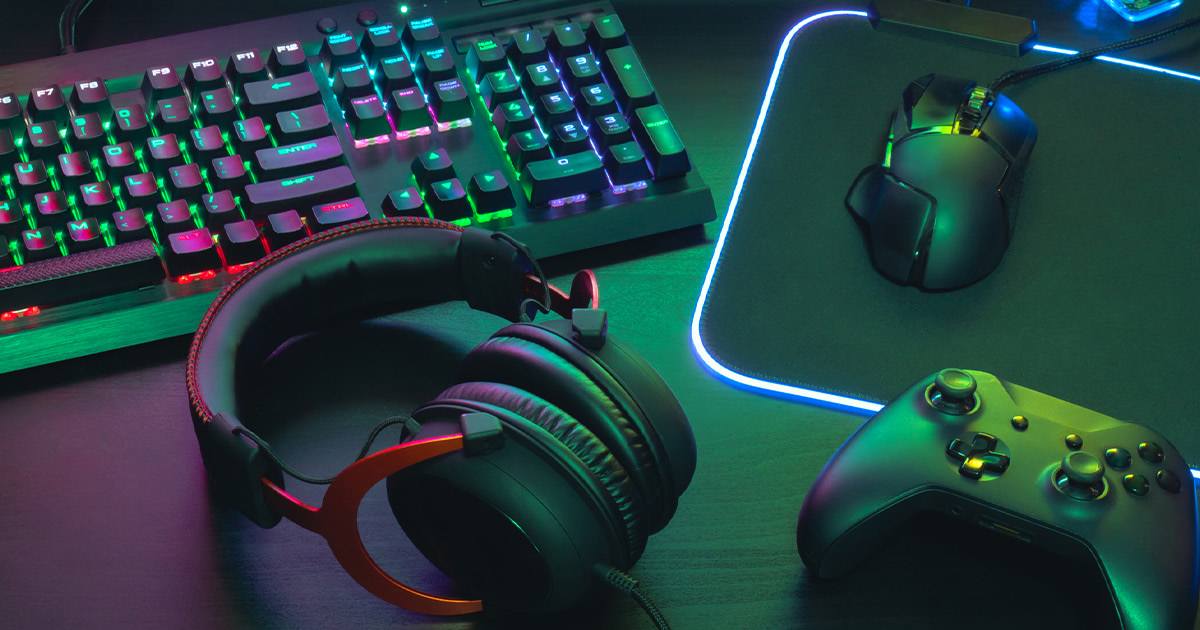
On the hardware side, programmable gaming keyboards and mice offer dedicated macro keys that can be easily accessed. These devices often come with software that allows you to create and assign macros to the keys. Adaptive controllers, like the Xbox Adaptive Controller, provide even more customization options, allowing you to connect a variety of assistive devices, such as switches, joysticks, and buttons. These controllers can be programmed with macros, providing a highly customized gaming experience for players with disabilities.
When choosing software and hardware, consider your individual needs and preferences. If you're comfortable with scripting, Auto Hotkey may be a good option. If you prefer a visual interface, Logitech G HUB or Razer Synapse may be a better choice. And if you require extensive customization, the Xbox Adaptive Controller may be the perfect solution. The ultimate goal is to find tools that empower you to play games in a way that is comfortable, accessible, and enjoyable.
Tips for Gaming Macro Accessibility
When creating gaming macros for accessibility, prioritize simplicity and efficiency. Start by identifying the actions that you find most difficult or repetitive, and focus on automating those tasks first. Break down complex actions into smaller, more manageable steps, and assign each step to a separate macro. Use clear and descriptive names for your macros so that you can easily identify them later.
Experiment with different keybindings and macro layouts to find what works best for you. Consider using keys that are easily accessible and comfortable to reach. You can also use modifier keys, such as Shift, Ctrl, and Alt, to create multiple macros for the same key. Use delays strategically to ensure that actions are executed in the correct order. Too short of a delay may not execute at all, and too long of a delay will slow down the macro process.
Test your macros thoroughly to ensure that they work as expected. Use a practice environment or a low-stakes game to test your macros before using them in a competitive or challenging situation. Be prepared to adjust and refine your macros as needed. Gaming macro accessibility is an iterative process, and it may take some time to find the perfect setup for your needs. The most important tip is to not be afraid to experiment, ask for help, and adapt your macros to improve your accessibility. You can also look for games that support macro usage, and gaming communities for additional support on how to play those games.
Ethical Considerations of Macro Usage
While gaming macros can greatly enhance accessibility, it's crucial to consider the ethical implications of their use, particularly in competitive environments. The line between accessibility and unfair advantage can sometimes be blurred, and it's important to be mindful of the impact your macros may have on other players. Before using macros in a competitive game, check the game's rules and guidelines to ensure that macro usage is permitted.
Avoid using macros to automate actions that are intended to be skill-based, such as aiming, movement, or reaction time. Focus on using macros to automate tasks that are difficult or impossible for you to perform due to physical limitations. Be transparent about your macro usage with other players, especially in competitive settings. Let them know that you are using macros for accessibility purposes and that you are not trying to gain an unfair advantage.
Respect the rules and spirit of the game, and strive to create a fair and enjoyable experience for everyone. Remember that the goal of gaming macro accessibility is to level the playing field, not to tilt it in your favor. By using macros responsibly and ethically, you can help create a more inclusive and welcoming gaming environment for all. Be considerate, respectful and be a role-model in the gaming community for the proper way to utilize macros.
Fun Facts of Gaming Macro Accessibility
Did you know that some of the earliest forms of gaming macros were used in text-based adventure games? Players would create simple scripts to automate repetitive commands, saving time and effort. Many modern gaming keyboards and mice come with built-in macro recording software, making it easier than ever to create and customize macros. Some professional gamers use macros to improve their efficiency and precision, but they typically adhere to strict rules and guidelines to ensure fair play.
Gaming macro accessibility is not just for players with disabilities. Many casual gamers use macros to simplify complex tasks, reduce fatigue, and enhance their overall gaming experience. The Xbox Adaptive Controller, designed for players with disabilities, features built-in macro capabilities, allowing for highly customized input configurations. Some games have built-in macro support, allowing players to create and manage macros directly within the game.
The world of gaming macro accessibility is constantly evolving, with new tools, techniques, and technologies emerging all the time. As gaming becomes more inclusive and accessible, macros will continue to play a vital role in empowering players of all abilities to enjoy the games they love. Embrace the innovation and the accessibility to make playing games fun and engaging.
How to Get Started with Gaming Macros
Getting started with gaming macros is easier than you might think. The first step is to identify the games you want to play and the actions you want to automate. Next, choose a macro tool that suits your needs and technical skills. If you're new to macros, start with a user-friendly program like Logitech G HUB or Razer Synapse. If you're comfortable with scripting, Auto Hotkey offers more flexibility and customization.
Once you've chosen a macro tool, start experimenting with simple macros. Try remapping keys to more accessible locations or automating repetitive tasks like typing a specific phrase. As you become more comfortable with the process, gradually build more complex macros. Test your macros thoroughly to ensure that they work as expected. Don't be afraid to ask for help from online communities and forums dedicated to gaming accessibility.
Remember that gaming macro accessibility is an iterative process. It may take some time to find the perfect setup for your needs. Be patient, persistent, and willing to experiment. With the right tools and techniques, you can unlock a world of possibilities and make gaming more accessible and enjoyable for everyone. Take small steps, and build a solid foundation that you can refer back to while you build more complexity.
What if Gaming Macros Didn't Exist?
Imagine a world where gaming macros didn't exist. For many players with disabilities, this would mean being excluded from a significant portion of the gaming world. Games that require complex inputs, rapid clicking, or precise timing would be virtually impossible to play. The joy of gaming, the sense of accomplishment, and the social connections that come with it would be out of reach.
Even for players without disabilities, the absence of macros would mean more strain, fatigue, and frustration. Repetitive tasks would become even more tedious, and complex actions would require even more effort. The overall gaming experience would be less efficient, less enjoyable, and less accessible. The gaming community would be less inclusive, less diverse, and less welcoming.
The existence of gaming macros is a testament to the power of technology to empower individuals and create a more inclusive world. By providing tools for automating input, macros have opened up new possibilities for players of all abilities. They have made gaming more accessible, more enjoyable, and more rewarding for everyone. Without them, the gaming landscape would be a much less vibrant and inclusive place. The absence of gaming macros, means more limits and less access.
Listicle: Top 5 Benefits of Gaming Macro Accessibility
1. Enhanced Accessibility: Macros allow players with disabilities to overcome physical limitations and participate in games that would otherwise be inaccessible.
2. Reduced Strain and Fatigue: Automating repetitive tasks reduces the physical strain of gaming, allowing players to game for longer periods without fatigue.
3. Improved Efficiency: Macros streamline gameplay by automating complex actions, allowing players to focus on strategic decision-making.
4. Increased Enjoyment: By removing barriers and simplifying gameplay, macros enhance the overall gaming experience and make it more enjoyable for all players.
5. Greater Inclusivity: Gaming macro accessibility fosters a more inclusive gaming community by enabling players of all abilities to connect, compete, and collaborate.
These five benefits, are just the tip of the iceberg when it comes to why using gaming macro accessibility benefits everyone.
Question and Answer
Q: Are gaming macros considered cheating?
A: It depends on the game and the context. In some competitive games, macros that automate skill-based actions may be considered cheating. However, macros used for accessibility purposes are generally accepted and encouraged.
Q: How can I create gaming macros?
A: You can use dedicated macro software like Auto Hotkey, Logitech G HUB, or Razer Synapse. These programs allow you to record and customize macros, and assign them to specific keys or buttons.
Q: Are there any games that specifically support macro accessibility?
A: Yes, some games have built-in macro support or offer options for remapping controls. Check the game's settings or documentation for more information.
Q: What if I need help setting up gaming macros?
A: There are many online communities and forums dedicated to gaming accessibility. These communities are a great resource for finding pre-made macros, sharing tips and tricks, and getting support from other players.
Conclusion of Gaming Macro Accessibility
Gaming macro accessibility is a powerful tool for creating a more inclusive and enjoyable gaming experience for everyone. By automating input and simplifying complex actions, macros can break down barriers, reduce strain, and empower players of all abilities to participate in the gaming world. Whether you're a player with a disability, a casual gamer looking for a more streamlined experience, or a competitive player seeking to optimize your performance, gaming macros can help you achieve your goals. Embrace the potential of macro accessibility, explore the tools and techniques available, and help create a gaming community that is welcoming, accessible, and enjoyable for all.
Post a Comment